Wedding seating chart sign you can print yourself
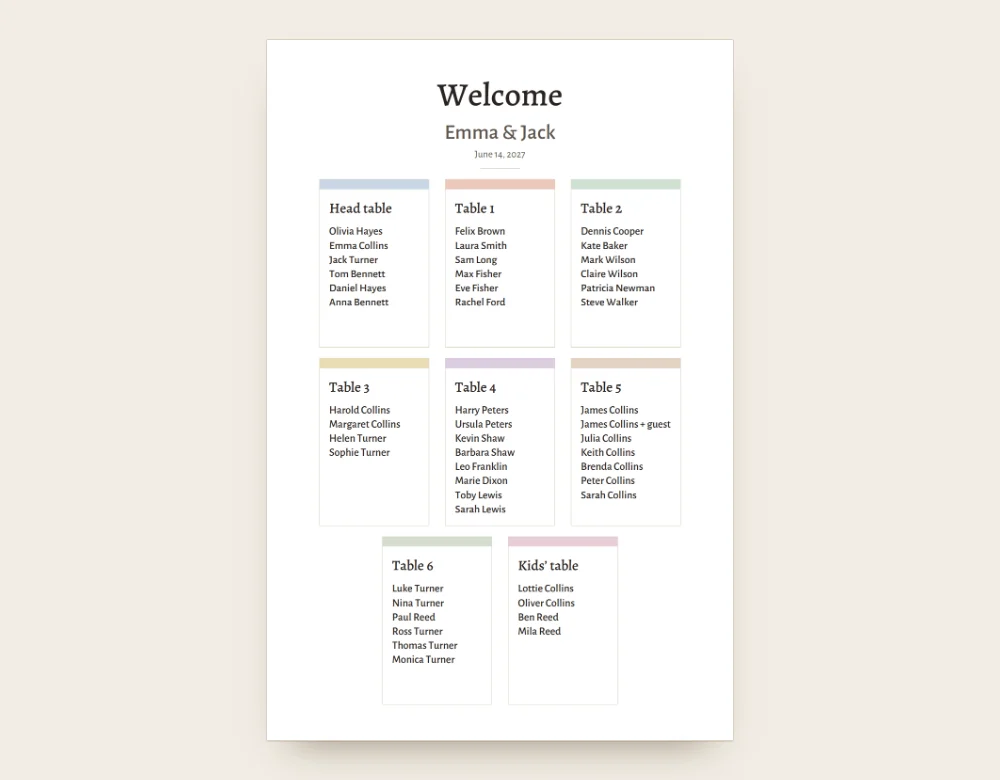
Most seating chart signs are made to order. Seating Solver makes a printable one from your plan in minutes, and you can change a name the night before. It is a PDF, so you can send it to a print shop or print it yourself on a large-format printer.
By table or A to Z?
By table is good for small weddings, and guests spot their friends. A to Z is faster for large crowds, because guests look up their own name. Seating Solver can print both.
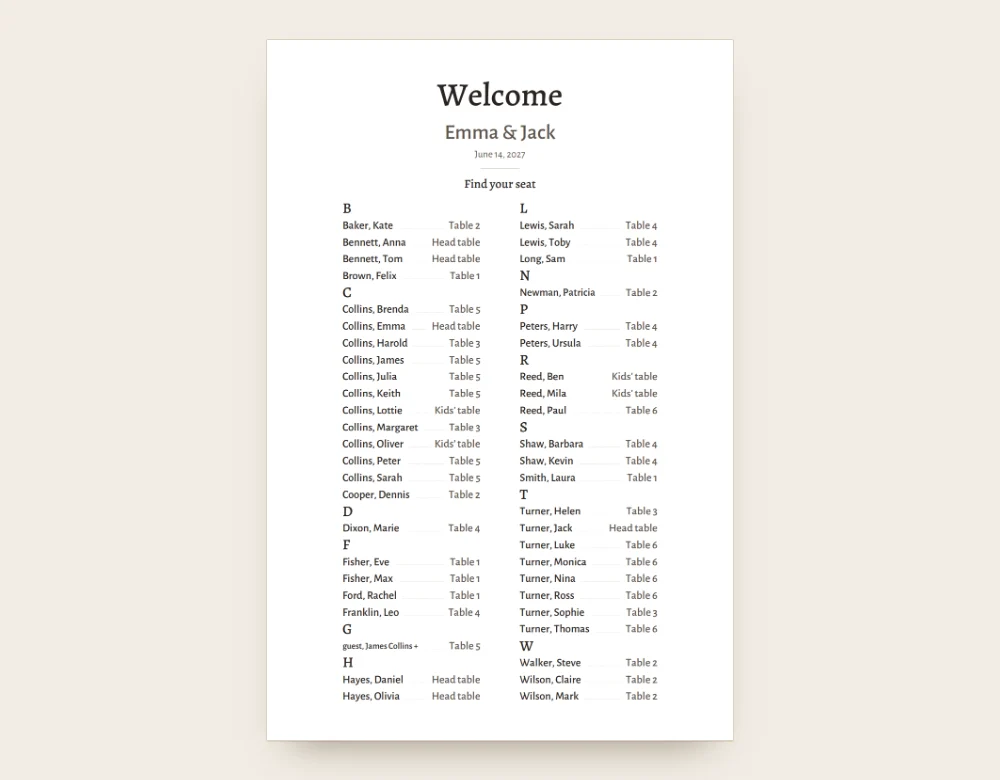
Add a QR code for finding a seat
Guests scan the code, type their name and see their table and the names at it. The page only shows the guest’s own table. This needs a free Google sign-in and the guest link turned on.
Display ideas
- An easel at the entrance.
- Foam board or a frame.
- Taped to a mirror or glass door.
- One sign per section if the guest list is long.
We make the PDF only. The easel, board or frame is up to you.
Before you print
Check spellings and last-minute changes. Print a test page. Keep the file to reprint.
Seating chart sign questions
How do I make a wedding seating chart sign?
Seat your guests in Seating Solver and choose the poster in the print view. Pick by table or A to Z, then print the PDF. You can also mount it on foam board or a frame.
Can I make a DIY wedding seating chart for free?
Yes. Seating Solver is free to use right now and works without an account.
Should the chart be alphabetical or by table?
Alphabetical is easier to scan for larger weddings. By table works for smaller ones.
Can guests find their seat on their phone?
Yes. Add the QR code to the poster. It opens a lookup page. This needs a free Google sign-in.